mark note: this blog was created with the help of an AI assistant.
I picked up a couple of generic ESP32 devkit boards. No-name stuff, cheap, the kind that comes in a plastic bag with no documentation.
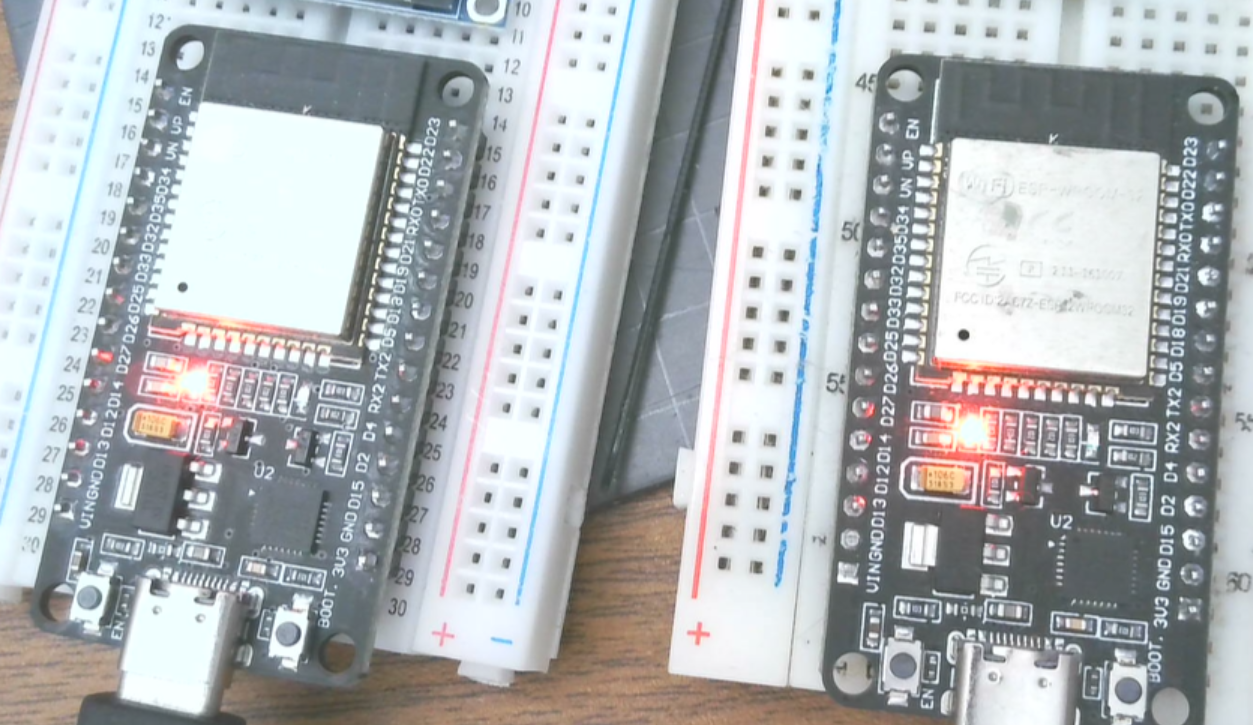
Plugged two of them in and Windows just kind of ignored them.
No COM port.
If you crack open Device Manager and dig around, you’ll usually see something like “CP210x USB to UART Bridge” or just a generic unknown USB device with a hardware ID that starts with USB\VID_10C4. That’s the CP2102, a Silicon Labs USB-to-UART bridge chip. It’s on a ton of these cheap boards. The problem is Windows doesn’t always have the driver out of the box, and the generic one it pulls from Windows Update might be out of date or missing entirely depending on your setup.
The fix is to grab the official VCP (Virtual COM Port) driver from Silicon Labs directly.
Download the Universal Windows Driver, unzip it, and you’ll have a folder with a handful of files. The key one is silabser.inf.
The quickest way to install it manually:
- Open File Explorer and navigate to the unzipped driver folder
- Right-click
silabser.infand choose Install - Click through the prompts
That’s it. Unplug your ESP32, plug it back in, and you should see it show up as a COM port in Device Manager. Something like Silicon Labs CP210x USB to UART Bridge (COM3). The exact COM number depends on what’s already on your system.
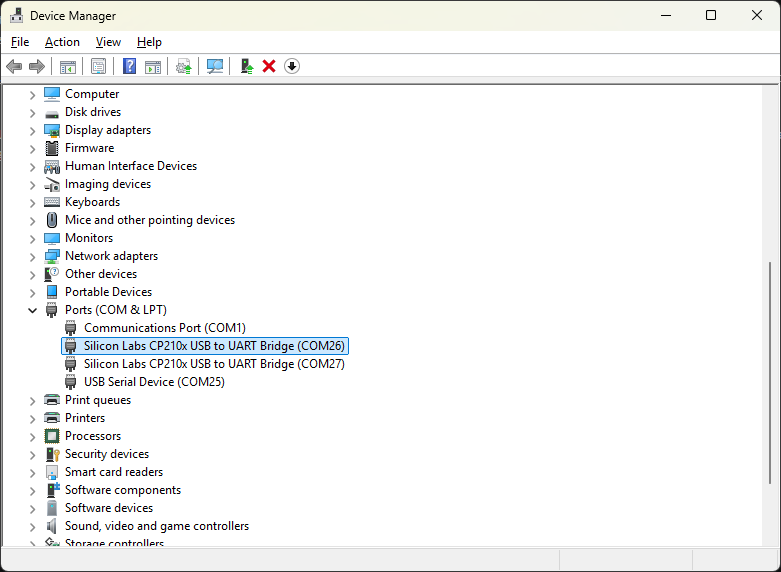
Once the COM port shows up, you’re good to go. Whether you’re flashing MicroPython with mpremote, using the Arduino IDE, or just connecting with a serial terminal, the board is now actually accessible.
If you ever need to uninstall the driver, the device has to be plugged in. Go to Device Manager, find it under “Ports (COM & LPT)”, right-click, and choose Uninstall device.
Worth noting: Silicon Labs says Windows Update will auto-install the driver for CP210x devices with alternate PID values 0xEA63, 0xEA7A, and 0xEA7B. Those aren’t the default values on most generic boards though, so don’t count on that. Just do the manual install and skip the guesswork.